 Progress
A little perspective goes a long way.
You took the photos.
Now see the change.
Your progress photos, finally easy to compare. Bring your history into focus with a private photo journal made for looking back.
Free beta · iPhone & iPad · No account required.
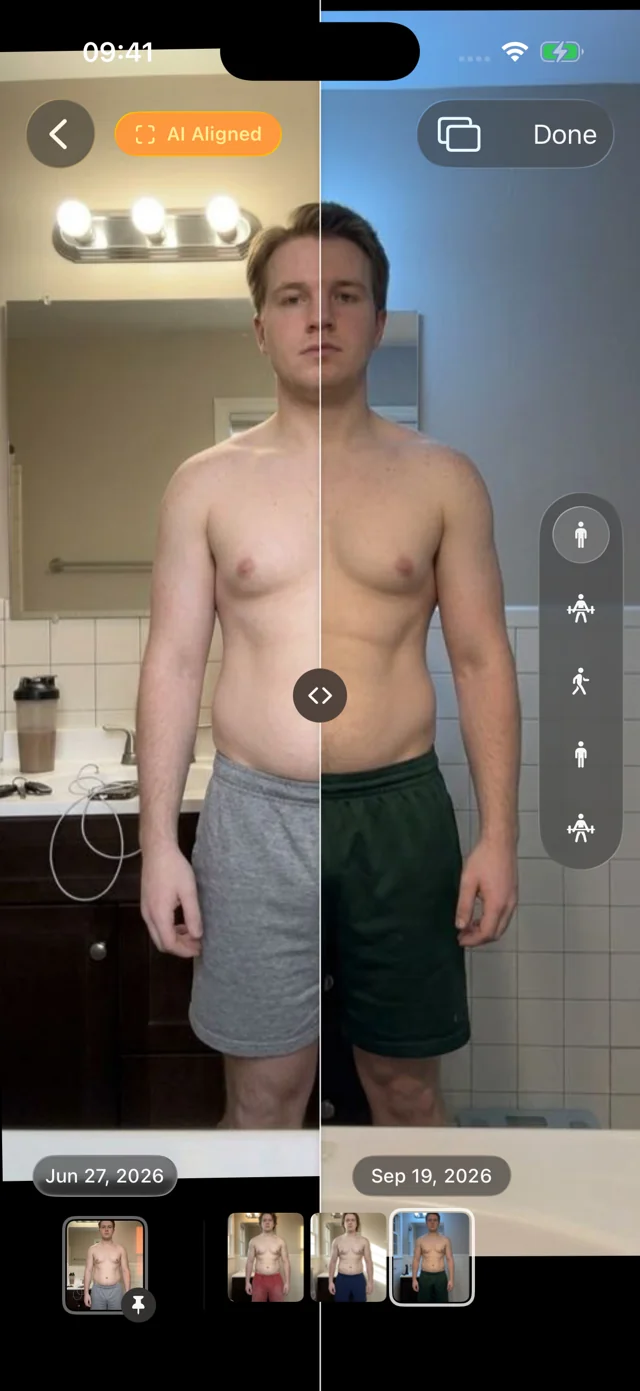
Same pose.
A clearer comparison.
Your whole history.
One place to look back.
Personal photos.
On-device analysis.
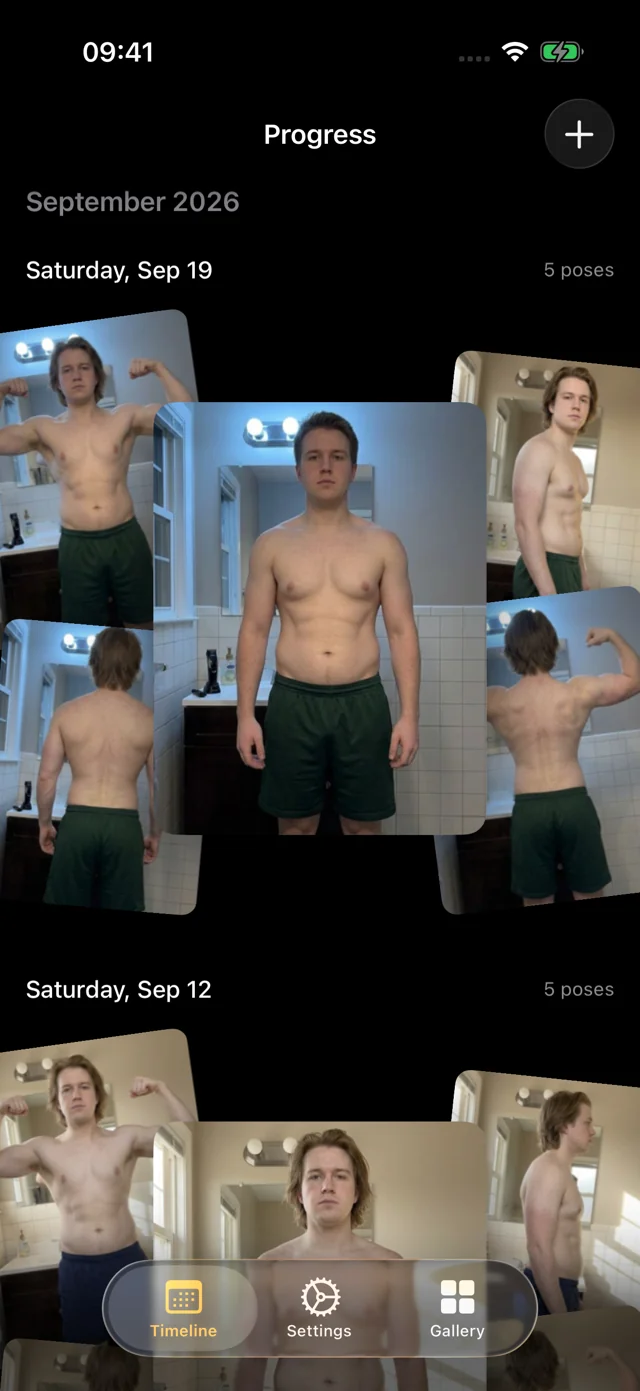
Make room for your history.
Less digging through your camera roll.
More seeing how far you’ve come.
Give your existing photos a home. Browse the same pose across weeks and months, without losing your place.
Line up the moments
On-device alignment helps bring your photos into a consistent frame, so it’s easier to see what changed.
Then. Now. Tap.
Pin a date and flip between two full-size photos. Or use the split view to compare them together.
Every session, all your angles
Keep your photos organized by date and pose. Move through your timeline with a quick scrub of the filmstrip.
See it for yourself.
Months of change.
A few seconds to see it.
A quick look at the little details that make looking back feel effortless.
App screens use illustrative demo photos. The capture scene is a static preview of the guided experience.
Make the next set easier.
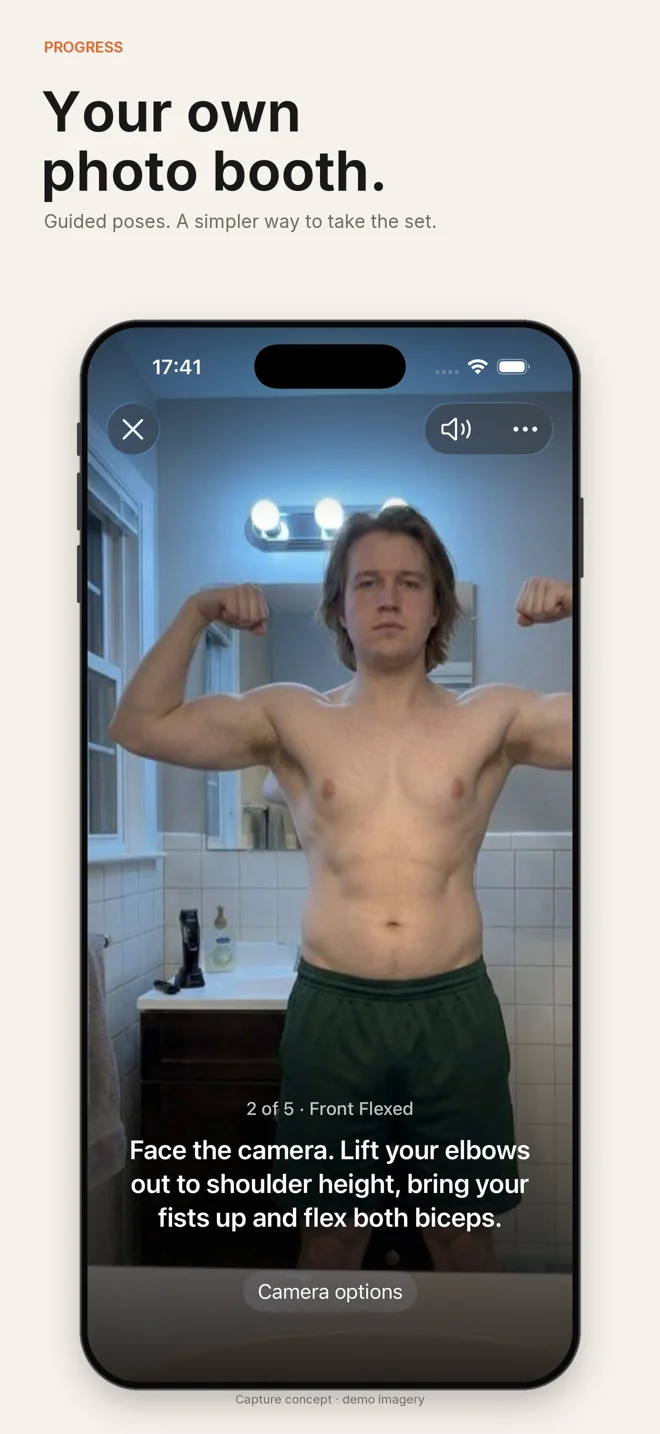
Your own little
photo booth.
Set down your phone, step into frame, and follow the guided poses. Progress helps you take a consistent set hands-free.
Keep the routine simple. Spend less time running back to a timer, and more time getting on with your day.
Personal photos. Personal space.
Your journal is for you.
Analysis stays on your device
Photo alignment and pose detection happen on your device. We don’t receive your photo library or Health records.
Protection you control
Enable device authentication to protect access to Progress. Choose whether new captures also go to Apple Photos.
Your history stays yours
No Progress account. Export your library when you need a copy, and keep your own backups of photos that matter.
A few things to know.
A simple start.
How do I get Progress?
Join the public beta through Apple’s TestFlight app on your iPhone or iPad. The beta requires iOS or iPadOS 26 or later. Open the TestFlight invitation.
Is the beta free?
Yes. The current TestFlight beta has no purchases or subscriptions. Pricing for a future release has not been announced, and joining the beta will not automatically charge you.
Can I use photos I already have?
Yes. Import photos from Apple Photos or files, review their dates and poses, and start exploring your history.
Does Progress back up my photos?
Your library is stored on your device. Progress does not provide its own cloud backup or cross-device sync. Use Export Data and keep independent copies of important photos. Device backups and optional Apple Photos copies depend on your Apple settings.
Who is Progress for?
Progress is a personal photo journal for adults 18 and older who want an easier way to document change. It does not provide medical advice or promise a particular physical result.
Your history deserves a second look.
Start with the photos
you already have.
Get the free beta Available through TestFlight for iPhone and iPad.